

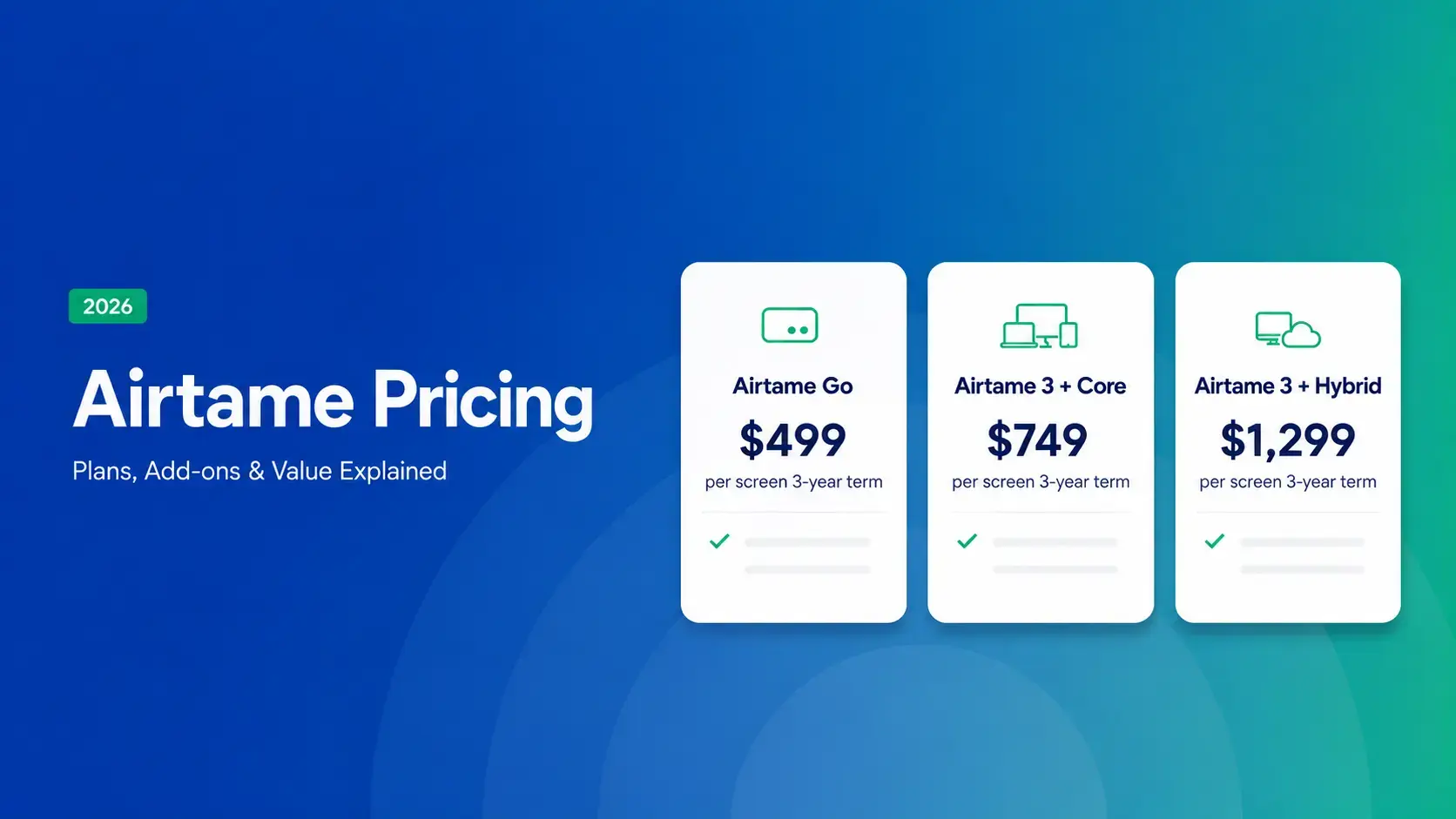
Updated October 2026: We've updated this post with Airtame's 2026 education pricing, renewal rates, safety integrations, return policy, and supported hardware.
Quick Summary
- Airtame's education pricing runs $299 to $1,299 per screen for a 3-year term, then $80-$300 per screen per year to renew ($120-$300 for business).
- Signage and alerts come standard on every tier, but only screen sharing survives if you skip renewal.
- Rise Vision works with Airtame or runs standalone, either way for a flat $1,399/school/year.
What Does It Really Cost to Run Your Displays with Airtame?
Airtame's pricing looks simple at first glance, but a few things are worth understanding before you know what you're really paying. Contract length, license renewals, and how many displays you're covering will all affect what you actually pay over time.
This guide walks through how Airtame's hardware and licensing work, what happens when a license expires, and how to estimate your real cost as you add more displays.
Why Trust Us?
We work with K-12 schools, districts, and multi-site organizations that use Airtame and similar solutions every day, so we understand the practical considerations IT leaders and administrators weigh when planning budgets.
“We saw a cost savings by choosing Rise Vision over other options like Vivi, without compromising quality or functionality. When you combine the screen sharing and the digital signage options, it is an easy choice. Rise Vision has been a smart investment for our schools.”
— Eric Burt, Technology Director at West Fork CSD
The information in this guide is based on Airtame's publicly available pricing and documentation. By the end, you'll have a clear picture of what running Airtame actually costs, both upfront and over time.
Airtame's Pricing Breakdown: Hardware, Licenses, and Renewals
All figures below come from Airtame's official USD pricing documentation, with renewal pricing confirmed from Airtame's website. Here's the full lineup and what each option gets you.
|
Product |
Business (3-yr) |
Education (3-yr) |
Annual Renewal |
|
Airtame Go |
$499 |
$299 |
$120/device/yr |
|
Airtame 3 + Core |
$749 |
$749 |
$80/screen/yr (edu) / $120/screen/yr (biz) |
|
Airtame 3 + Hybrid |
$1,299 |
$1,299 |
$80/screen/yr (edu) / $120/screen/yr (biz) |
|
Virtual Airtame (Core) |
$120/yr |
$80/yr |
— |
|
Virtual Airtame (Hybrid) |
$300/yr |
$300/yr |
— |
Airtame Go
Airtame Go is Airtame's entry-level option, combining an Amazon Signage Stick with an Ethernet adapter and including a Core license. That gets you screen sharing, digital signage, remote management, and emergency alerts, while video conferencing is available with the Hybrid tier on Airtame 3. Business pricing runs $499 for a three-year term. Education pricing is lower at $299. The package includes a three-year warranty.
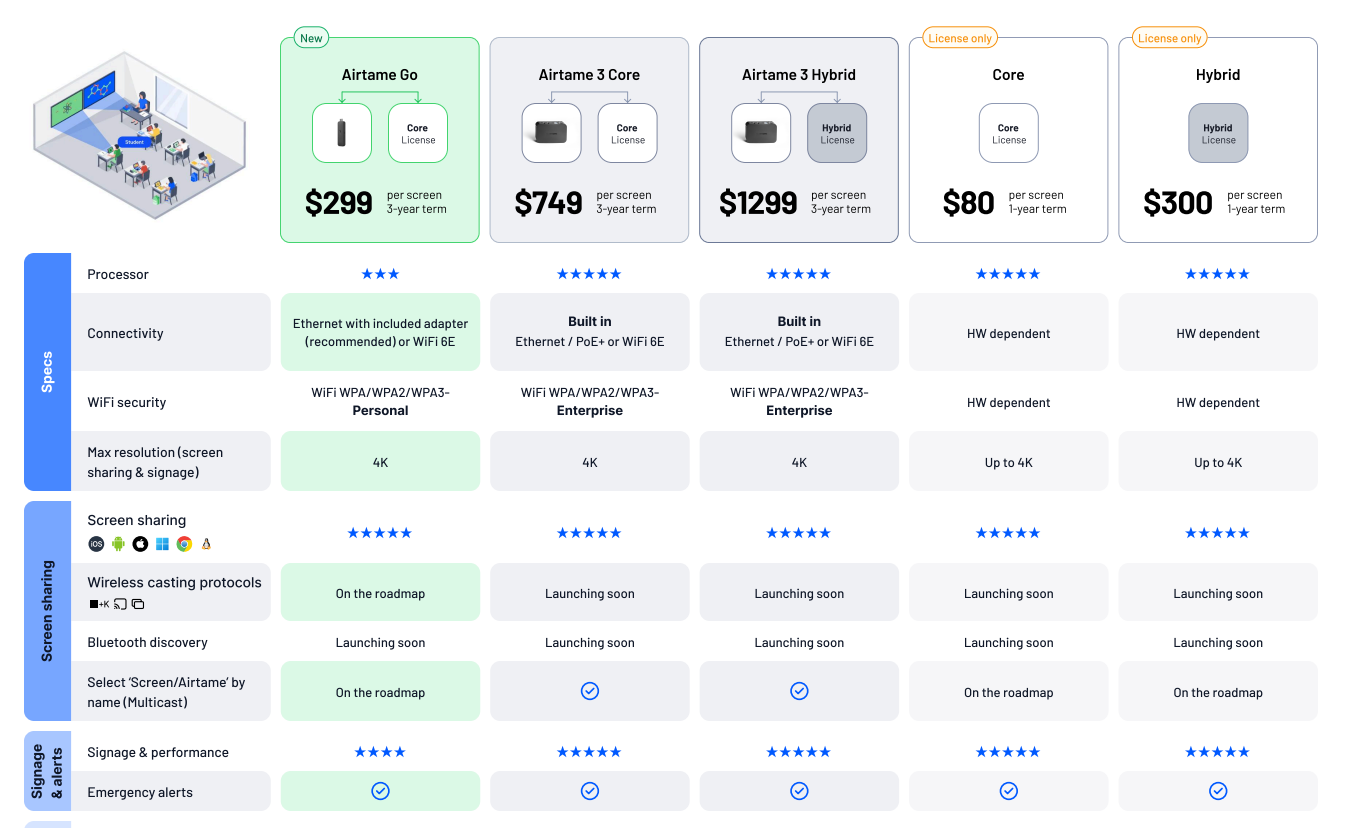
Source: Airtame Education USD product overview, April 2026.
After the initial term, the Core license renews at $80 per screen per year for education ($120 for business) to keep those features running.
Airtame 3: Core vs. Hybrid
Airtame 3 is Airtame's flagship device, and the license you pick determines what it can do. Core covers screen sharing, digital signage, remote management, and emergency alerts. Hybrid adds native video conferencing with support for Zoom, Microsoft Teams, Google Meet, and Webex, so it's built for meeting rooms rather than classrooms. Most school deployments will look at Airtame Go or Core.
If you're working toward a specific rollout date, check current availability with Airtame or your reseller before you lock in your timeline.
Virtual Airtame
Virtual Airtame skips new hardware. It's a software install that runs on a Windows or Android device. It includes the same screen sharing, digital signage, remote management, and emergency alerts as Airtame Go and Airtame 3. Hybrid unlocks video conferencing here too.
Whichever option you go with, it's the license underneath, Core or Hybrid, that determines what you actually get. Here's what those tiers include.
What Each Airtame Tier Includes
Airtame’s digital signage works with popular tools, including Google Slides, Canva, PowerPoint, Google Drive, OneDrive, Dropbox, Power BI, Trello, and YouTube. Once you set up your content in Airtame Cloud, updates sync automatically to your displays.
Emergency alerts integrate with existing safety systems. Named integrations include Raptor, Singlewire/InformaCast, CrisisGo, Omnilert, and Centegix, and Airtame also accepts alerts from any system that can send a CAP message or an HTTP POST request. Alerts interrupt whatever's on screen, including active presentations, signage, even displays in standby. You can also run drills to test your setup before it's needed.
The 3-Year Cost of Covering Every Display with Airtame
The prices below are shown on a per-display basis. As you roll out Airtame across more locations, it's worth seeing how those costs add up across a full building. Here's what that looks like for 10 and 25 displays using Airtame's education pricing, including what renewal adds once the initial term ends.
What Airtame Costs as You Scale
|
Option |
10 displays (3-yr) |
10 displays + 1st renewal year |
25 displays (3-yr) |
25 displays + 1st renewal year |
|
Airtame Go |
$2,990 |
$3,790 |
$7,475 |
$9,475 |
|
Airtame 3 Core |
$7,490 |
$8,290 |
$18,725 |
$20,725 |
|
Airtame 3 Hybrid |
$12,990 |
$15,990 |
$32,475 |
$39,975 |
All figures use education pricing. Business pricing is higher for Airtame Go ($4,990 for 10 displays, $12,475 for 25) and Core renewal runs $120/screen/yr instead of $80.
What Happens If You Don't Renew
If a license isn't renewed, you hold onto some basic functionality. Screen sharing keeps working, along with the basics of remote management: viewing your displays remotely, editing network and security settings, and applying firmware updates manually.
Digital signage, emergency alerts, and a few remote management extras — like sleep schedules and device alerts — all need an active Core license to keep running. So you can keep sharing screens without a license, but you'll need an active one to get the rest.
How Rise Vision's Pricing Compares with Airtame’s
Rise Vision's K-12 Unlimited license costs $1,399 per school per year and covers every display in your building. Over three years, that's a total of $4,197. For comparison, covering 25 displays with Airtame's education pricing over the same period runs about $6,000 with Virtual Airtame Core on screens you already have, $7,475 with Airtame Go (hardware included), or $18,725 with Airtame 3 Core. It comes down to how each platform licenses its product. Airtame licenses individual displays, while Rise Vision's Unlimited plan covers all displays within a school for a single annual price. Rise Vision's price covers the software, so any screen that doesn't already have a compatible player, smart display, or Airtame device will need one.
Rise Vision also brings digital signage, screen sharing, and emergency alerts together in one platform, with free training and support backed by a 99% satisfaction rating on every plan. Every subscription comes with a 30-day money-back guarantee, so there's no risk in trying it for yourself.
Here's a feature-by-feature comparison to help you decide which approach best fits your school or district.
|
Criteria |
Rise Vision |
Airtame |
|
Digital signage |
Every plan (Basic and up) |
Every tier |
|
Emergency alerts |
Advanced plan and up |
Core license and up |
|
Screen sharing |
Enterprise/Unlimited only |
Every tier |
|
Safety system integrations |
13 (including Raptor, Singlewire, CrisisGo, Centegix, Alertus) |
5 (Raptor, Singlewire/InformaCast, CrisisGo, Omnilert, Centegix) + any CAP or HTTP POST system |
|
Built-in templates |
750+, spanning classroom, sports, menu boards, STEM, holidays, and more |
Content runs through Slides, Canva, PowerPoint, etc. |
|
Hardware support |
Works on mostany hardware you already own, including Airtame 2, Airtame Hub, and Virtual Airtame |
Airtame devices (Go, 3, 2, or Hub), or Virtual Airtame on existing Windows PCs and Android interactive panels (SMART, Promethean, Clevertouch, Newline, ViewSonic) |
|
K-12 pricing |
$1,399/school/year, unlimited displays (software; hardware not included) |
$299 (Go) or $749 (Airtame 3 Core) per screen for a 3-year term, or $80/screen/yr for Virtual Airtame Core. Core renews at $80/screen/yr |
|
Support |
1-hour response, free training, every plan |
No published response SLA |
|
Guarantee |
30-day money-back guarantee |
30-day return policy with refund |
So, What's the Right Move for Your Building?
The right move depends on what you need your platform to do.
If your main need is wireless screen sharing for a handful of rooms, Airtame does that well on its own.
For schools and organizations managing digital signage, screen sharing, and emergency alerts across an entire building or district, an all-in-one platform makes both the budget and the day-to-day easier. That's Rise Vision.
You can also run them together. Rise Vision runs directly on Airtame 2, Airtame Hub, and Virtual Airtame through the Airtame Cloud dashboard without requiring a separate installation. If you'd rather not use Airtame hardware at all, Rise Vision's own screen sharing and signage cover the same ground natively. Either way, you land on one platform for digital signage, emergency alerts, and screen sharing instead of piecing tools together.
Start a 14-day free trial or schedule a free demo and see how Rise Vision fits your school or organization. Every plan also includes a 30-day money-back guarantee.
More From Our Blog
-
Yodeck vs ScreenCloud vs Rise Vision (2026 Comparison)
Yodeck is the cheapest way to run a few screens. ScreenCloud is the polished corporate pick. Rise Vision combines digital signage, screen sharing, and emergency alerts in one platform, and it's the[…]
Read More -
The Best Chrome Sign Builder Alternatives for Schools in 2026 (Free and Paid Options)
Google stopped supporting Chrome Sign Builder in kiosk mode after ChromeOS 150 in July 2026. So you'll need a replacement for any screen that's still running it. For schools that want to keep their[…]
Read More -
Digital Signage Remote Management: How to Run Every Screen From One Place
Digital signage remote management lets you control screens, schedules, and display health from an online platform. To get started, choose a hardware-agnostic platform, connect your media players or[…]
Read More
12,300+ Organizations Trust Rise Vision, You Can Too
































Schedule a Free Demo
You deserve the #1 all-in-one platform for digital signage, screen sharing, and emergency alerts.





