


This entry is an update using the new Editor and Google Drive
Today we will go over what to do when you already have an existing Powerpoint Presentation that you want to display on your digital signage.

Upload your PowerPoint presentation to Google Drive. Once complete, go to your Presentation in Slides 
Uploading a PowerPoint Presentation to Google Docs is easy, but there is one setting you want to ensure is set correctly first. You need to ensure that it is set to Public.
In the Slides section choose the right Slide (previously, your PowerPoint presentation) then ensure that it is set to 'Publish to the web'.
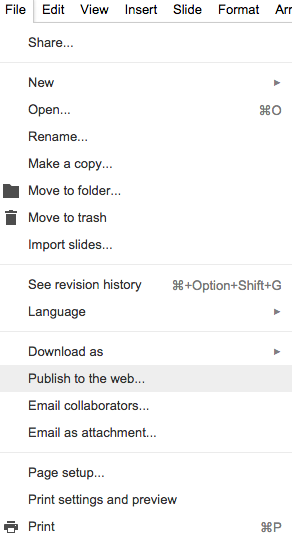
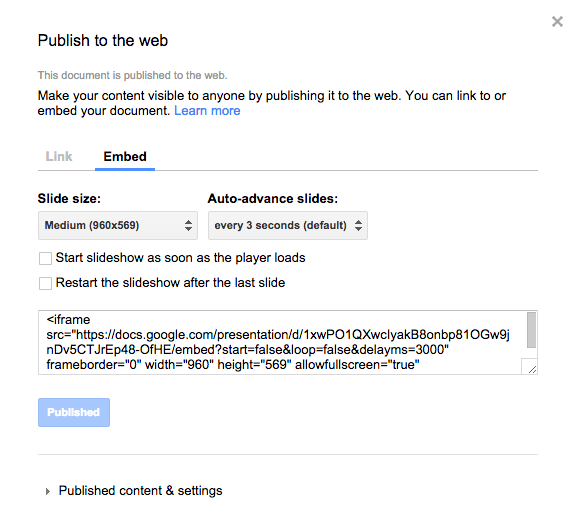
That way you can make your content visible to the web. This is important in ensuring that the content is visible on the Display/s. Once this is done, go to the Embed section and copy the embed code like below:
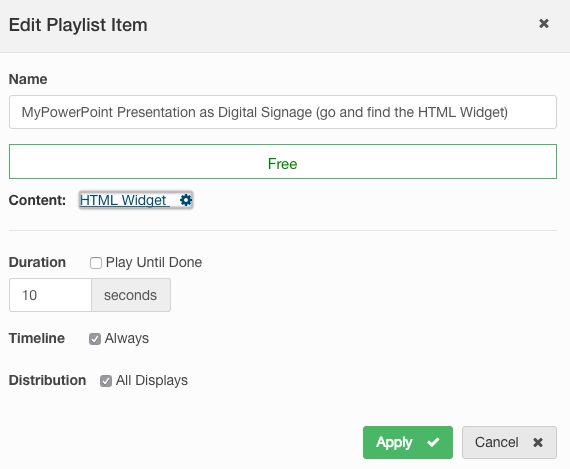
Go to the Editor and if you have not done so already, add or go to the free HTML Widget that you are using for this Presentation:
Copy and paste the embed code:
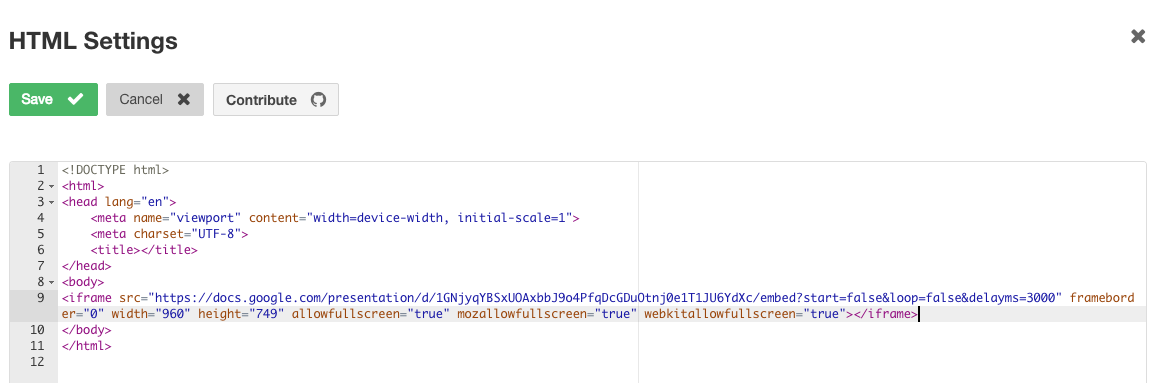
And there you go! Save and preview the Presentation to ensure that the new digital signage is appearing as you intend it to.
Image CreditMore From Our Blog
-
ScreenCloud Digital Signage Software Review: Features, Pricing, Pros and Cons
Best for: Organizations that want a polished digital signage platform with a broad app library, strong security, and flexible content management. Standout features: 80+ apps and integrations, SOC 2[…]
Read More -
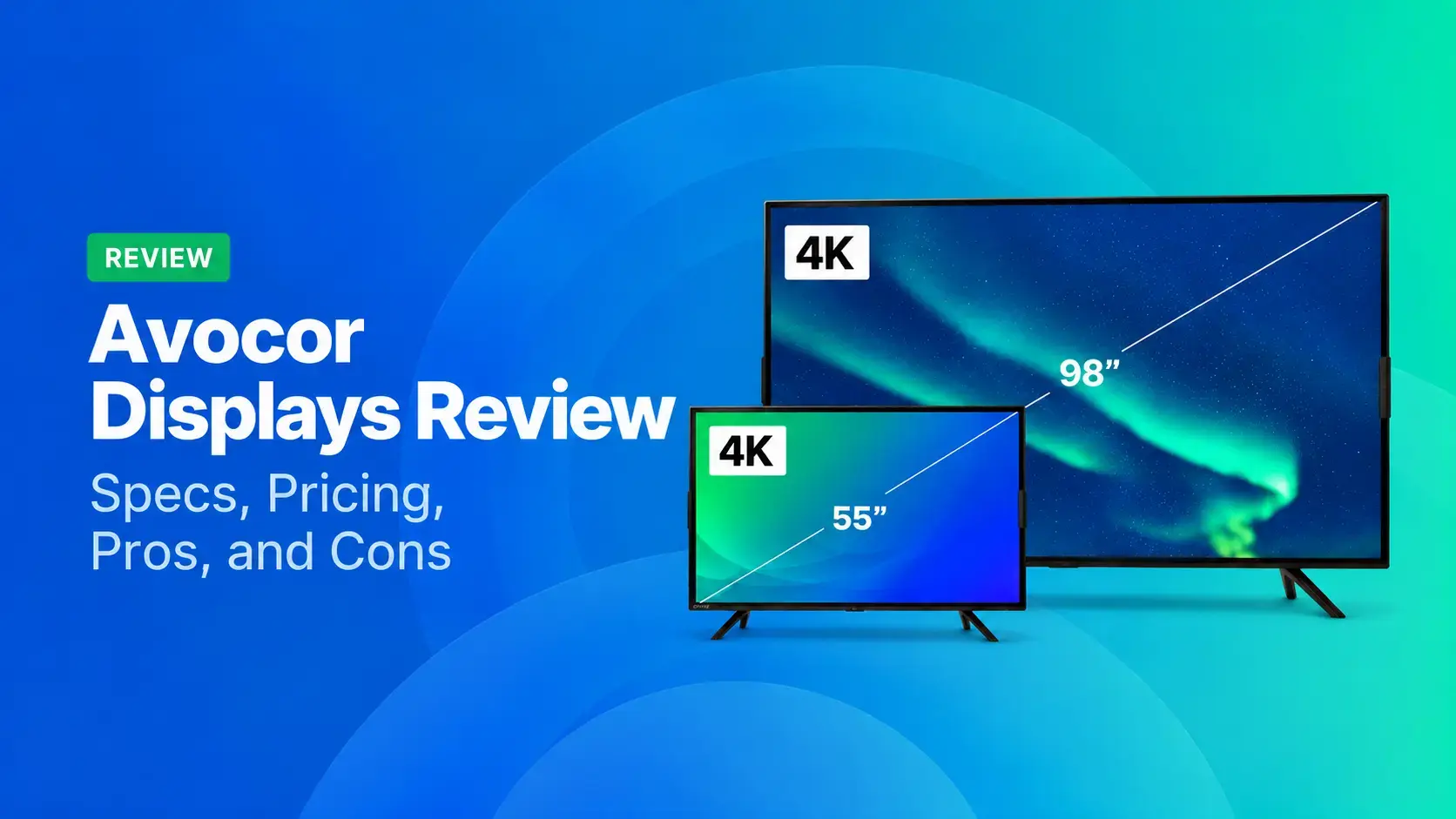
Avocor Displays Review: Every Series Compared
Avocor makes commercial displays across more than a dozen series. For classrooms, you'll want the S, A, or E50 Series, and for meeting rooms, the G or H Series. The E92 and L Series are ultra-wide,[…]
Read More -

We Reviewed the 5 Best Industrial Digital Signage Players for 2026
We reviewed five digital signage players that can handle different industrial environments, from standard break rooms and production floors to areas exposed to extreme temperatures.
Read More
12,300+ Organizations Trust Rise Vision, You Can Too
































Schedule a Free Demo
You deserve the #1 all-in-one platform for digital signage, screen sharing, and emergency alerts.





